Free for your first site

Know before
your clients do.

IT Watch monitors SSL expiry, uptime, domain renewals, and DNS changes across all your client sites — and alerts you before anything breaks.

or sign up with email
Already have an account?

No credit card required · Free plan: 1 site · Cancel anytime

Expiry Horizon — next 90 days
studio.dev
S
acme.com SSL — 2 days
S
shop.co SSL — 64 days
clientco.io
D
clientco.io domain — 16 days
D
agency.net domain — 79 days
acme-corp.com
S
studio.dev SSL — 31 days
today+30d+60d+90d
38 healthy
4 warning
1 critical

Every expiry across every client, on one timeline

The Expiry Horizon shows the next 90 days for your whole fleet. Certificates and domain renewals, laddered by how close they are — so nothing reaches a client first.
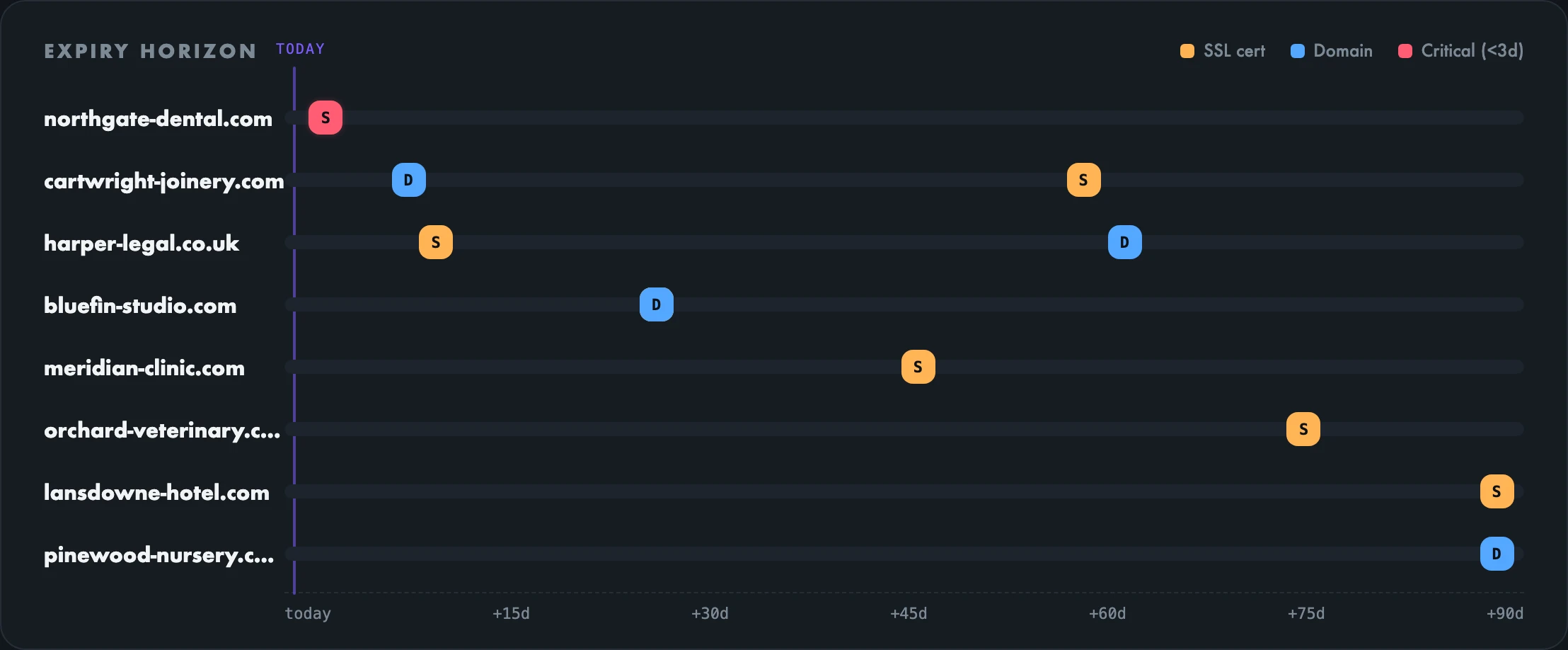
The IT Watch Expiry Horizon: eight client domains with SSL and domain renewal markers laid out across the next 90 days, with one certificate flagged critical at three days.

The alert you actually get

One email per rung — 30, 14, 7, 3 and 1 days out. Not a stream of reminders, and never a second copy of an alert you have already seen.
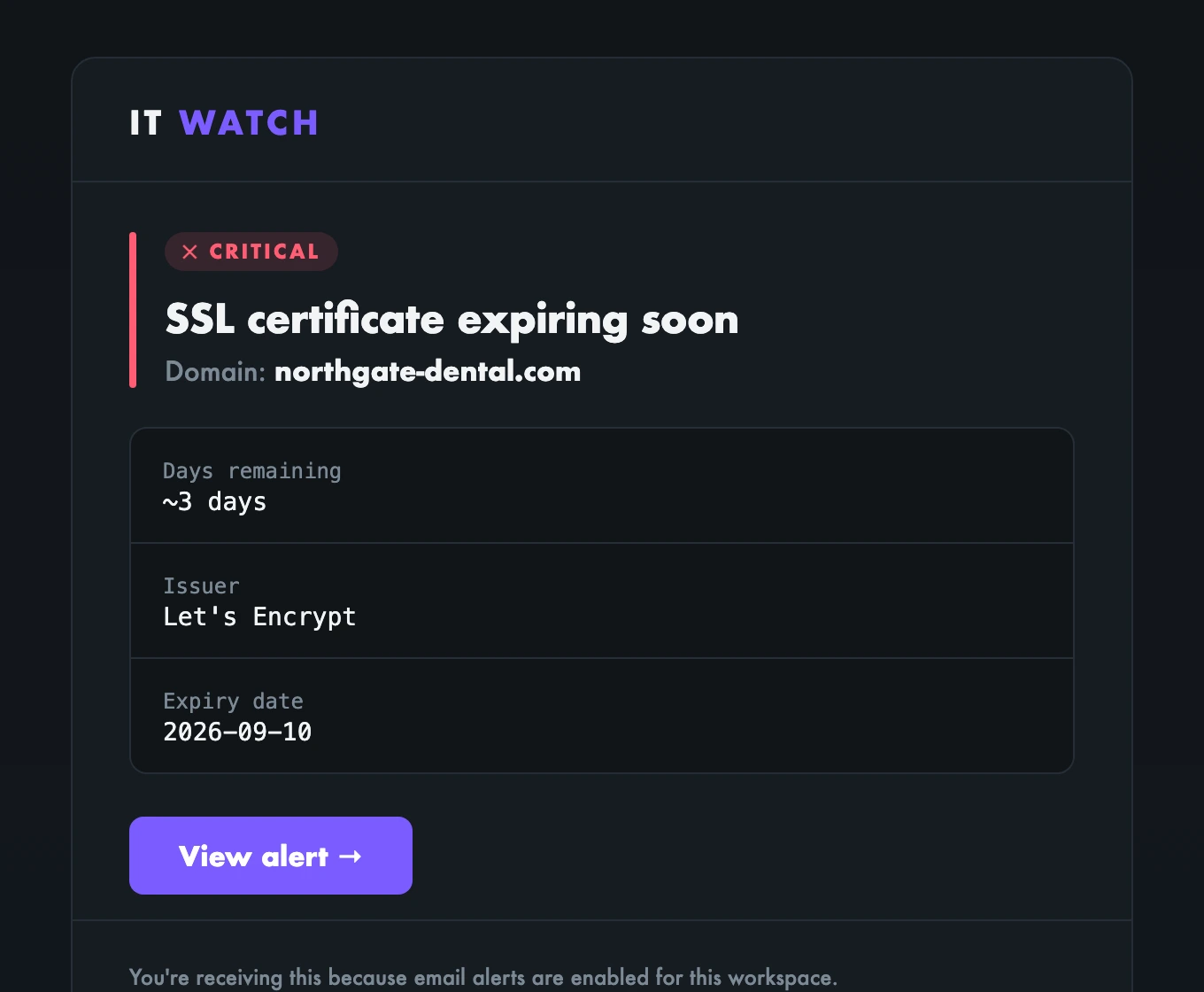
An IT Watch alert email: SSL certificate expiring soon for northgate-dental.com, marked critical, showing three days remaining, the issuer and the expiry date.

Every check, every site, one screen

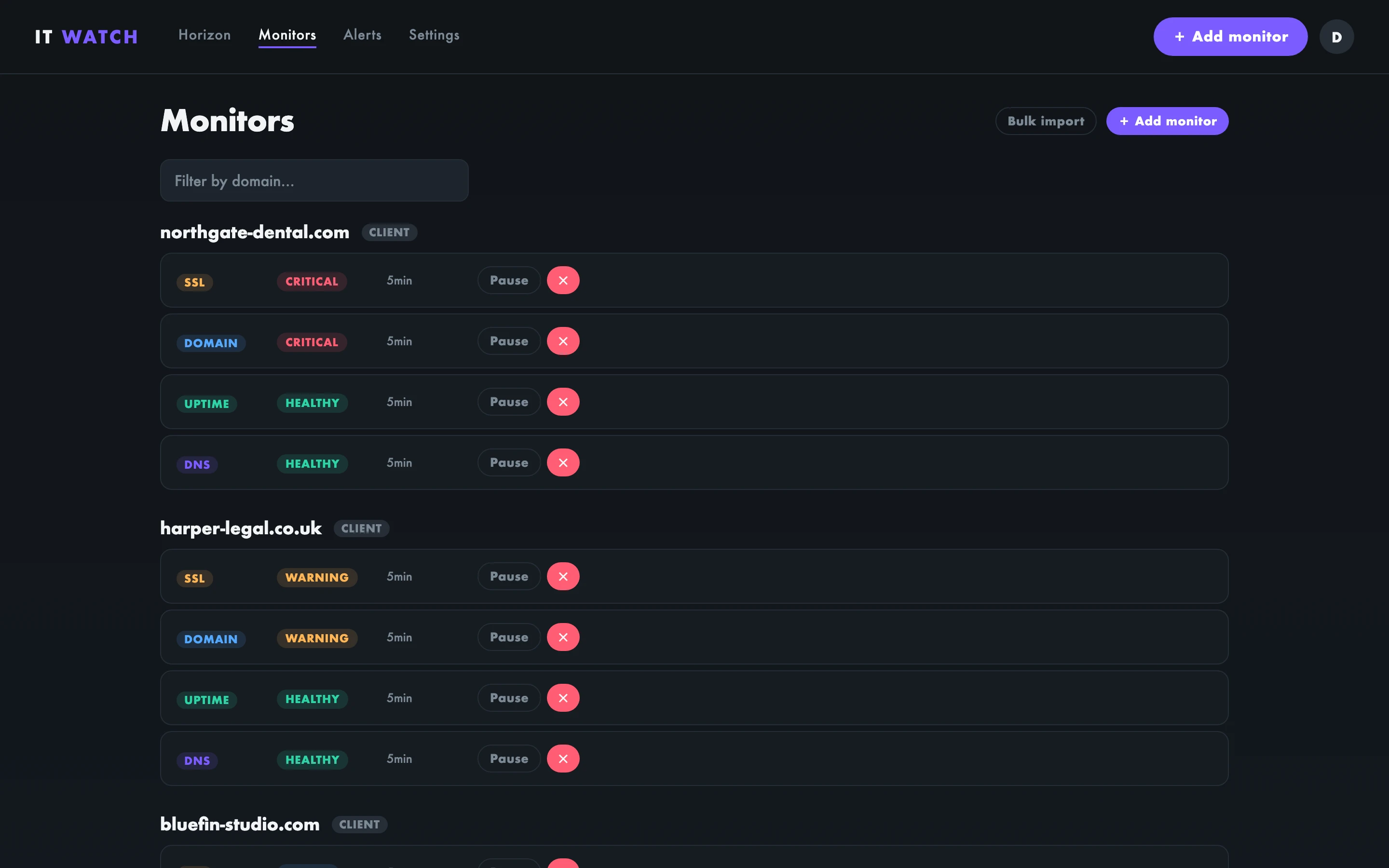
The IT Watch monitors list: every client site with its SSL, domain, uptime and DNS checks and their current status.
Why this exists

Certificates and domains don't fail loudly. They fail on a Saturday, on a site you haven't touched in eight months, for a client who finds out before you do. Auto-renewal handles it right up until the card on file expires, or a DNS record moves, or a redirect quietly breaks the ACME challenge.

IT Watch is built around that specific failure: not another dashboard to check, but five emails at 30, 14, 7, 3 and 1 days, and nothing in between. It watches the things that break quietly, and it only speaks up when something has changed.

🔒
SSL certificates
Know 30 days before a cert expires. Ladder alerts at 14, 7, 3, and 1 day — then auto-resolve when renewed.
📡
Uptime monitoring
HTTP checks on your schedule. Two-strike confirmation before alerting so you're never woken up by a blip.
🌐
Domain expiry
WHOIS lookups track renewal dates. The same 30/14/7/3/1-day ladder keeps domain lapses off your radar.
🔎
DNS change detection
Dual-resolver checks (Cloudflare + Google) flag any record change. Accept expected changes or keep alerting.

How IT Watch works

1
Add a domain
Paste in a URL. IT Watch sets up SSL, domain expiry, uptime, and DNS checks automatically — no configuration files.
2
We watch 24/7
Checks run on your plan's schedule. Our two-strike confirmation system filters out transient blips so you only hear about real problems.
3
You get ahead of it
Alerts fire at 30, 14, 7, 3, and 1 day before any expiry or outage. By the time a deadline is close, you've had five warnings.
Before IT Watch

A client's domain expired on a Tuesday. The site went blank. By the time anyone noticed, it had been unreachable for 8 hours. The domain registrar had sent a renewal notice — to an email address nobody checked.

With IT Watch

The same domain would have triggered alerts at 30 days, 14 days, 7 days, 3 days, and 1 day before expiry. Five chances to renew it — before a single client noticed anything was wrong.

Simple pricing

Every plan includes all four check types. No add-ons.

Free
$0
1 site · daily checks
Solo
$9/mo
25 sites · 15-min checks · Slack
Agency
$29/mo
150 sites · 5-min checks · Slack
See full pricing and feature comparison →

Common questions

How far in advance will I know about SSL expiry?
The alert ladder fires at 30, 14, 7, 3, and 1 day before expiry — five separate alerts, each auto-resolving when the cert is renewed.
Does it work for client sites I don't own?
Yes. IT Watch monitors any domain you add — whether you own it, manage it for a client, or just want to keep an eye on it.
What's the difference between Solo and Agency?
Monitor count (25 vs 150) and check interval (15 min vs 5 min). Both include Slack/webhook alerts.
See all FAQs →